
Claude Code Alternatives: OpenCode — The Free Open-Source Replacement That Won't Get You Banned
Anthropic started banning accounts using Claude Code through unofficial channels. Mine almost got caught. Here is how I switched to OpenCode — a free, open-source CLI agent that works with almost any model.
The Claude Code Ban Wave
In mid-2026, Anthropic quietly tightened their usage policies. Users running Claude Code through unofficial API gateways or reverse-proxy setups started getting account warnings and bans. The message was clear: if you are not paying Anthropic directly, you are not welcome.
This hit the developer community hard. Claude Code had become the go-to CLI agent for vibe coding — iterating on code by chatting with an AI from your terminal. It was nearly perfect: excellent code generation, smart context handling, and deep integration with your dev environment.
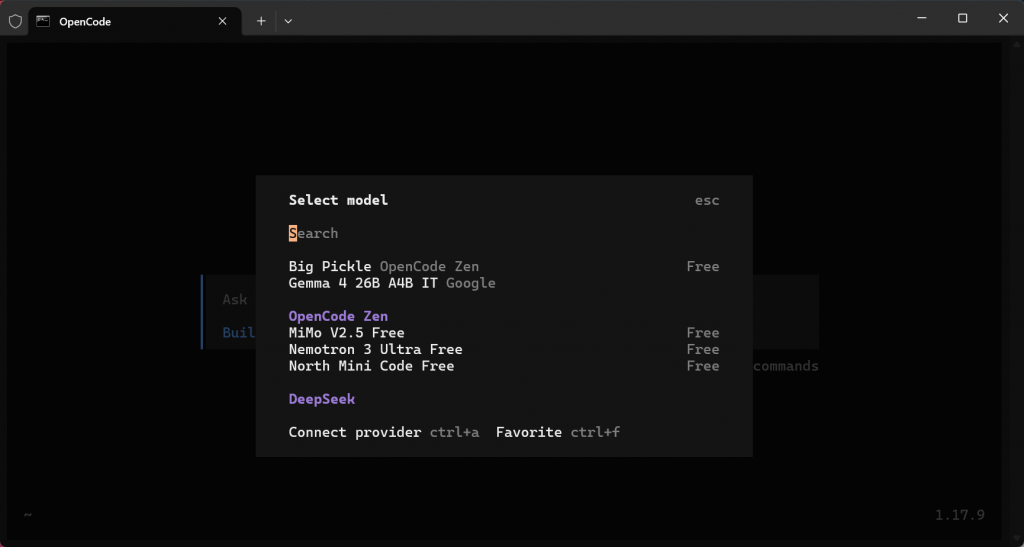
The bans started. Including mine. I got a warning email that made me immediately start looking for alternatives.
Enter OpenCode: What Makes It Different
OpenCode is an open-source CLI coding agent from the team at anomalco. It takes the same concept as Claude Code — a terminal-based AI pair programmer — but with two critical differences:
- Model-agnostic — works with any LLM provider: DeepSeek, Gemini, OpenAI, Anthropic, Groq, or any OpenAI-compatible API. You choose the model.
- Open source — MIT licensed. No account bans, no usage limits, no monthly fees.
You can literally run OpenCode with the free Google Gemini API and pay zero dollars while getting GPT-4-class coding assistance.
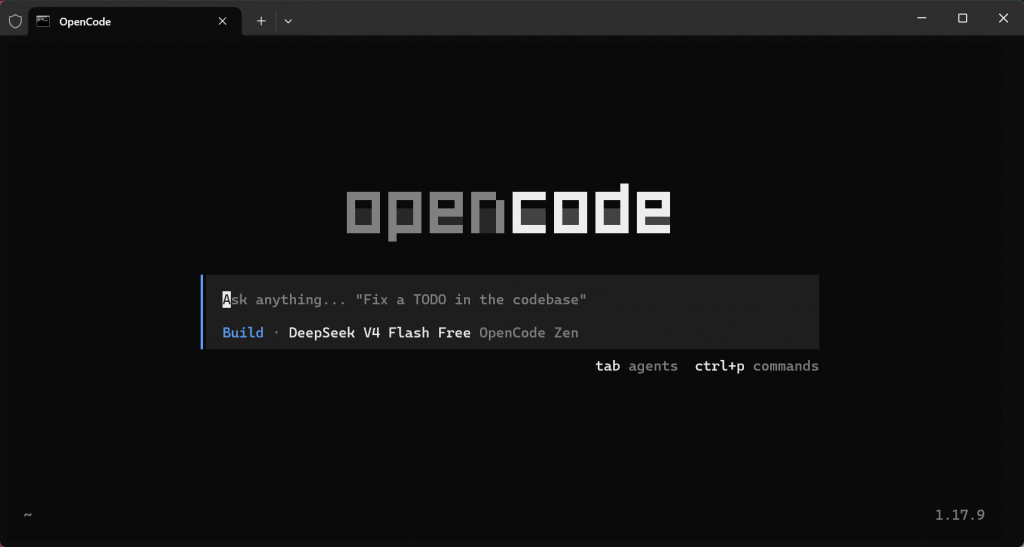
Installation (3 Minutes)
Prerequisites
- Python 3.11+
- A terminal (any terminal works — Windows Terminal, iTerm2, Kitty)
- An API key from any provider (recommend starting with free Google Gemini)
Install via pip
pip install opencodeSet your API key
For Google Gemini (free):
export GEMINI_API_KEY="your-key-here"Or for DeepSeek:
export DEEPSEEK_API_KEY="your-key-here"Launch it
opencodeThat's it. You'll see a terminal interface where you can chat with the AI about your codebase. It auto-indexes your project, understands imports, and can read/write files.
Real Usage: What OpenCode Can Actually Do
I have been using OpenCode for three weeks now. Here is what impressed me:
1. Smart File Navigation
OpenCode scans your project and builds a semantic index. Ask it to "find the authentication middleware" and it navigates directly to the right file, not just grep results.
2. Diff-Based Edits
Unlike some coding agents that rewrite entire files, OpenCode uses structured diffs. This means you can review exactly what changed before applying. Every edit shows a clean diff preview.
3. Multi-File Refactors
I asked it to refactor my affiliate link management system across three files. It analyzed the imports, understood the dependencies, and rewrote the code correctly on the first try.
4. Model Switching On the Fly
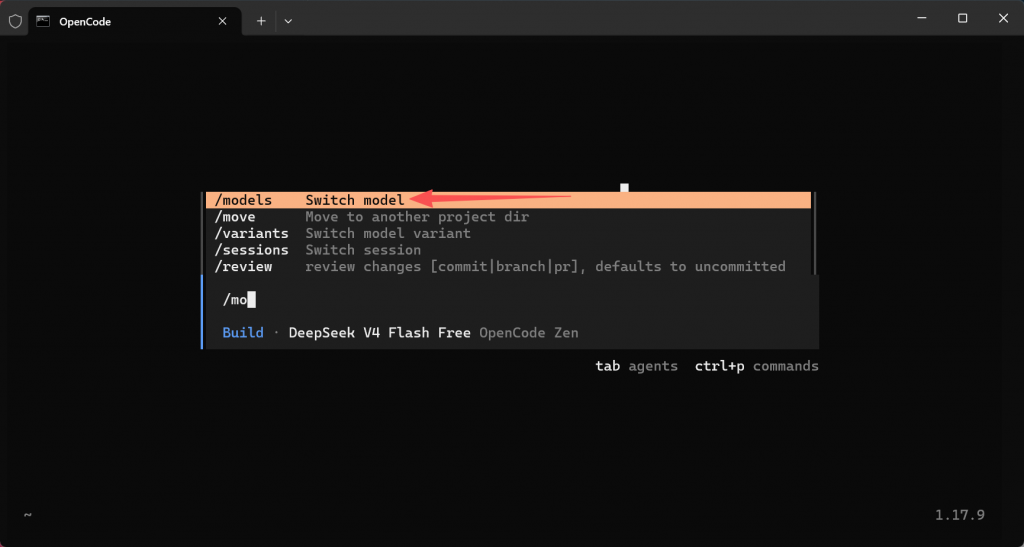
Start with DeepSeek for rapid iteration, switch to Gemini 3.6 Flash for complex logic, fall back to OpenAI if needed. One command: /model gemini-3.6-flash.
OpenCode vs Claude Code: Honest Comparison
| Feature | Claude Code | OpenCode |
|---|---|---|
| Price | $20/mo (Pro) or API pricing | Free (open source) |
| Models Supported | Claude only | Any model (Gemini, DeepSeek, GPT, Claude) |
| Account Risk | Bans for unofficial usage | None — runs locally |
| Code Quality | Excellent | Very good (depends on underlying model) |
| Speed | Fast (Sonnet optimized) | Fast (depends on API latency) |
| Context Handling | Excellent | Good (getting better each release) |
| Customization | Limited | Fully configurable YAML |
The Zero-Cost Setup
My current setup costs me exactly $0/month:
- OpenCode — free and open source
- Google Gemini API — free tier with generous limits (sufficient for personal use)
- VS Code — free editor
For serious projects, I add DeepSeek API credit. Their pricing is roughly $0.50 per million input tokens — negligible for individual developers.
What Is Still Missing
- No Claude Code magic — Sonnet is genuinely excellent at code. OpenCode with Gemini is good, but there is a quality gap for complex refactors.
- Young ecosystem — fewer community extensions, fewer tutorials, less documentation than Claude Code.
- Not agentic yet — OpenCode executes commands when you tell it. Claude Code can explore your codebase proactively. The gap is narrowing fast though.
Who Should Switch
| Situation | Recommendation |
|---|---|
| You got banned from Claude Code | Switch to OpenCode immediately |
| You want free AI coding | OpenCode + Gemini free API |
| You want the best code quality regardless of cost | Keep Claude Code (Pro plan) |
| You want to switch between models | OpenCode is your only option |
FAQ
Does OpenCode work on Windows?
Yes. Install with pip in any terminal — Windows Terminal, Git Bash, or WSL all work.
Can I use it with my existing API keys?
Absolutely. OpenCode supports any OpenAI-compatible API. Use your existing DeepSeek, Gemini, Groq, or OpenAI key.
Is the code quality the same as Claude Code?
Not quite. Claude Code with Sonnet produces slightly better code. But OpenCode with Gemini 3.6 Flash is close, and the cost difference is dramatic ($0 vs $20/month).
Can OpenCode work offline?
Yes, with local models. You can configure it to use Ollama and run a local LLM: /model ollama/codestral.