
Most people use Gemini at gemini.google.com. That is fine. But if that is the only way you use Google's AI, you are leaving an enormous amount of free capability on the table — including models you cannot access anywhere else, image and video generation, and a free API key that works with dozens of third-party tools. This guide covers everything Google AI Studio offers that the regular Gemini website does not.
What Is Google AI Studio? (And How It's Different from the Gemini Website)
Google AI Studio (aistudio.google.com) is Google's developer-facing playground for the Gemini model family. Think of it as the "pro mode" version of the consumer Gemini app. It exposes the raw models with all their parameters — temperature, top-p, safety filters, system instructions — that the consumer app hides behind a clean UI.
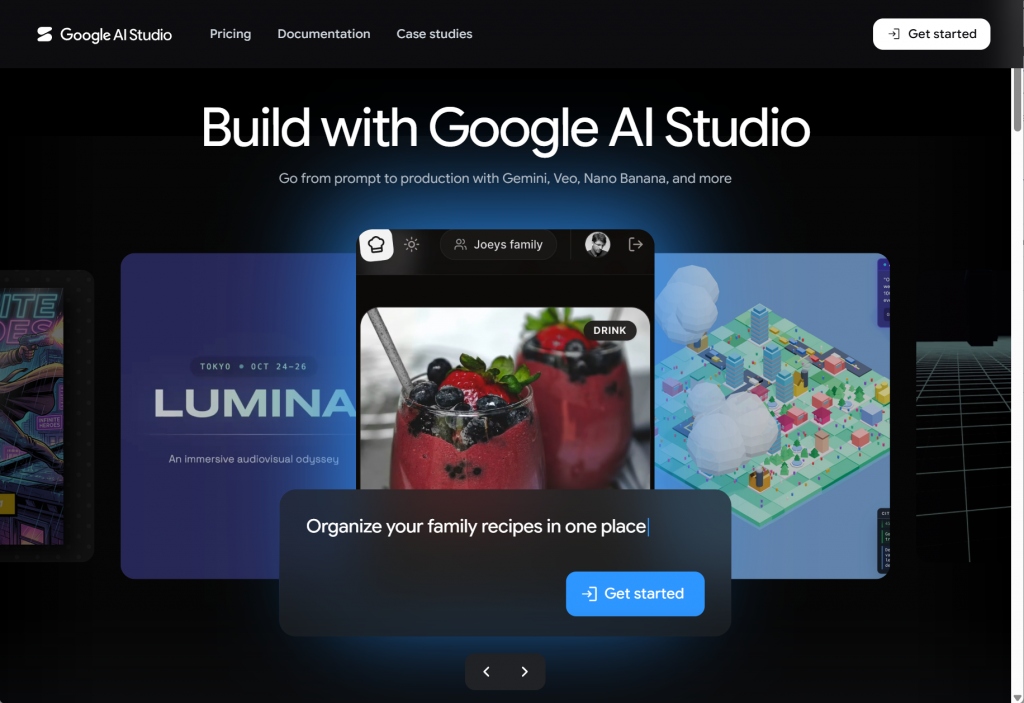
The core difference is simple: the Gemini website is a consumer product built for convenience. AI Studio is a developer tool built for control. Here is what that means in practice:
| Feature | Gemini Website (gemini.google.com) | Google AI Studio (aistudio.google.com) |
|---|---|---|
| Text chat | ✅ Yes | ✅ Yes (with full parameter control) |
| Model selection | Limited to a few models | Full model family — Flash, Pro, Thinking, experimental models |
| System instructions | Basic only | Full control — define personality, rules, output format |
| Temperature & parameters | ❌ Not available | Full control — temperature, top-p, top-k, safety filters |
| Image generation | ✅ Nano Banana (limited) | Full access to Nano Banana and Imagen |
| Video generation | ❌ Not available | ✅ Veo video generation |
| Text-to-Speech (TTS) | Limited | ✅ Full TTS with multiple voices |
| Live API (real-time voice) | ✅ Gemini Live | ✅ Live API with streaming and function calling |
| Free API key | ❌ Not available | ✅ Free API key for third-party tools |
| File upload & analysis | ✅ Yes | ✅ Yes — PDFs, code, images, audio, video |
| Cost | Free | Free (with generous rate limits) |
The takeaway: if you only use the Gemini website, you are using a fraction of what Google offers for free. AI Studio is the full product. The website is the demo.
Why Google AI Studio Is Wildly Underrated
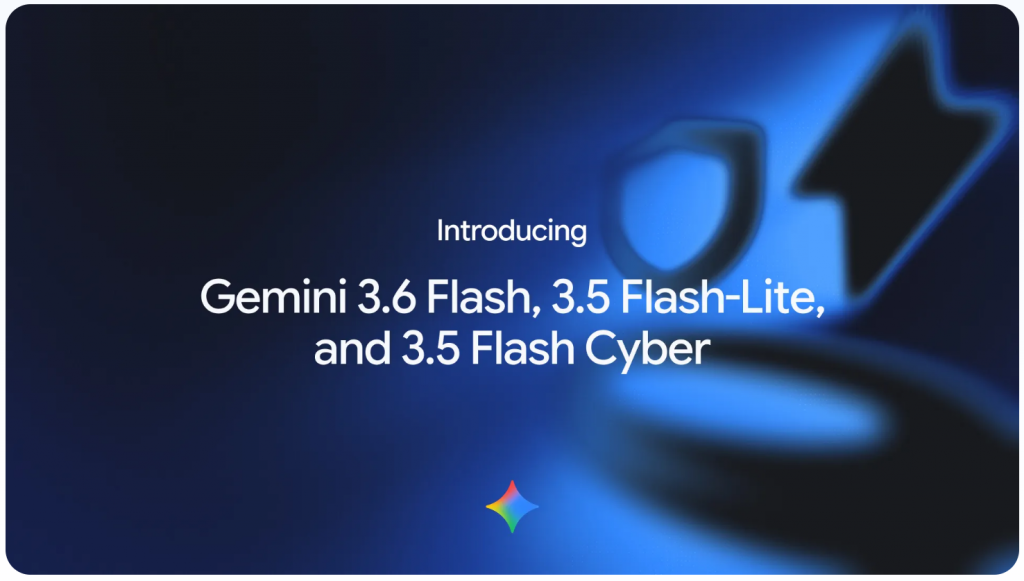
Here is a fact that surprises most people: Google releases new models on AI Studio before they appear anywhere else. When Gemini 2.5 Pro Experimental dropped, it was available on AI Studio for free on day one — while ChatGPT and Claude users were still waiting for their next update. Google treats AI Studio as their launch platform. The consumer app gets new models weeks or months later.
Three more reasons AI Studio flies under the radar:
- No marketing budget. Google spends millions advertising the Gemini app. AI Studio gets almost no consumer-facing promotion. It is a developer tool, and Google markets it to developers — but anyone can use it with a Google account.
- People assume it is complicated. The word "Studio" and the developer-focused landing page make casual users think they need coding skills. They do not. The chat interface works exactly like the Gemini website — you type, it responds. The advanced controls are optional.
- The free tier is embarrassingly generous. Google gives away so much for free that people assume there must be a catch. There is not. The free tier includes 1,500 requests per day across all models, including the most powerful Pro variants.
Everything You Can Do in Google AI Studio (For Free)
Let me walk through the full feature set. Some of these capabilities do not exist in any other free AI tool.
1. Text Chat With the Full Gemini Model Family
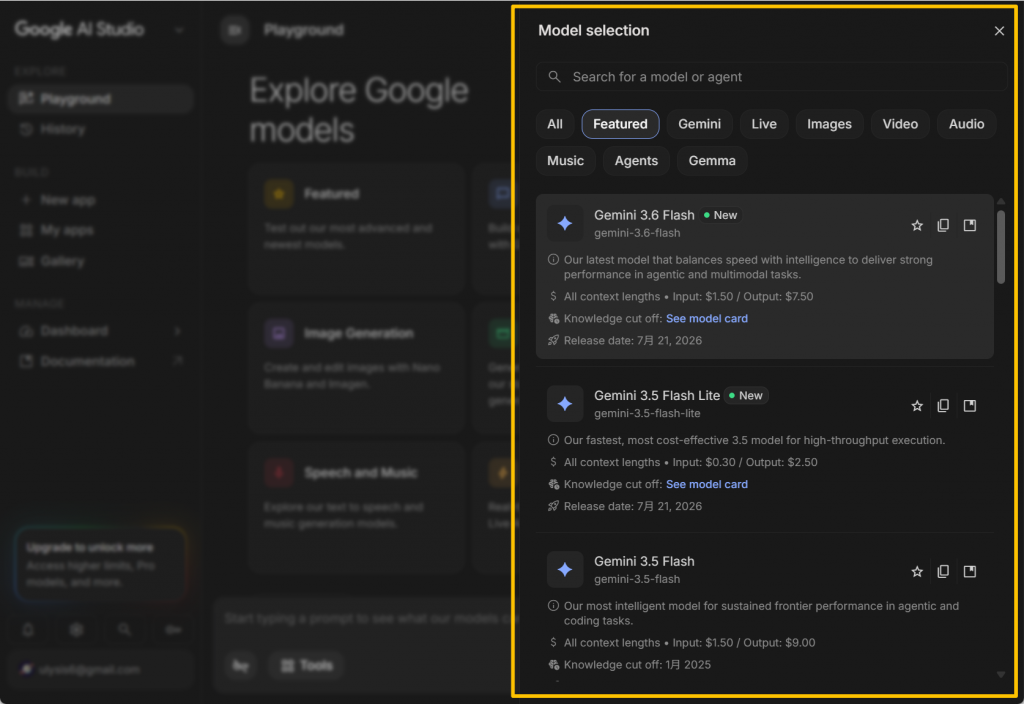
This is the core feature, but with a twist: you can pick any Gemini model — not just the default. The dropdown includes Gemini 2.5 Pro (Google's most powerful model), Gemini 2.5 Flash (fast and capable), Gemini 2.5 Flash Thinking (reasoning-focused), and experimental previews. You can also adjust temperature, top-p, top-k, and set system instructions that define exactly how the model behaves.
If you are writing code, you want low temperature for deterministic output. If you are brainstorming creative ideas, you want high temperature for variety. The Gemini website does not let you control this. AI Studio does.
2. Image Generation (Nano Banana & Imagen)
Google's image generation models — Nano Banana for fast, creative outputs and Imagen for photorealistic results — are fully available in AI Studio. You type a description, it generates an image. The quality is competitive with DALL·E and Midjourney for most use cases, and it is completely free. No credits, no daily limits that I have hit in normal usage.
3. Video Generation (Veo)
This is the killer feature that most people do not know about. Veo, Google's video generation model, is available in AI Studio for free. You describe a scene, and it generates a short video clip. The quality is not Sora-level yet, but for social media content, concept visualization, and quick video drafts, it is remarkably good — and completely free. No other major AI platform offers free video generation at this quality tier.
4. Text-to-Speech (TTS)
AI Studio includes a full TTS engine with multiple voice options. You can generate natural-sounding speech from any text — useful for voiceovers, accessibility, or just listening to long articles instead of reading them. The voice quality is on par with ElevenLabs for standard voices, and again: free.
5. Live API (Real-Time Voice)
The Live API feature lets you have real-time voice conversations with Gemini models through AI Studio. It streams audio both ways — you speak, it responds with voice, with latency low enough to feel like a natural conversation. This is the same technology powering Gemini Live on the consumer app, but with the full model selection and parameter control of AI Studio.
6. File Upload & Analysis
Upload PDFs, code files, images, audio, and video — Gemini analyzes them all. Feed it a 50-page PDF and ask specific questions. Upload a codebase and ask it to find bugs. Drop in an image and ask for analysis. The 1-million-token context window means you can upload genuinely large files and the model will handle them.
The Free API Key: Your Gateway to Third-Party Tools
This is the feature that makes AI Studio genuinely powerful, not just a better chat interface. Google gives every AI Studio user a free API key that works with the Gemini API. This key can be used in dozens of third-party applications:
- Code editors: Use Gemini models in Cursor, Windsurf, Continue.dev, and other AI coding tools — without paying for API credits.
- Chat clients: Plug your key into TypingMind, ChatBox, LibreChat, or any client that supports the OpenAI-compatible API format.
- Automation tools: Connect Gemini to n8n, Make, or Zapier for AI-powered workflows.
- Your own projects: Build anything — chatbots, content generators, analysis pipelines — using the same models Google runs internally.
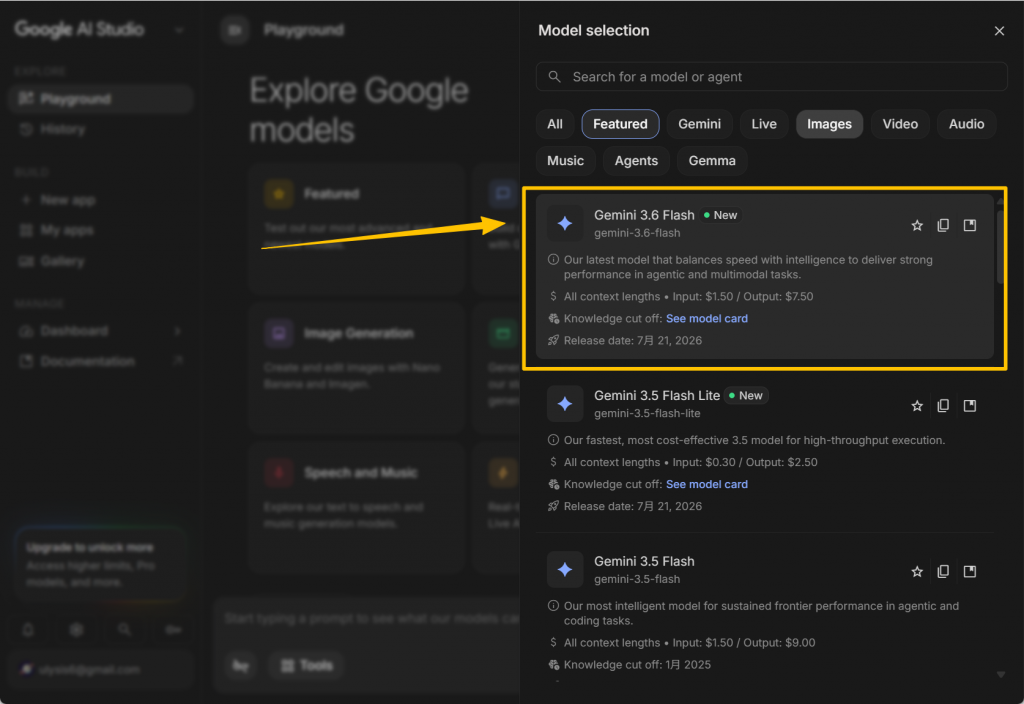
The free tier API includes 1,500 requests per day. For most individual developers and hobbyists, that is more than enough. Compare this to OpenAI, where the free API tier was discontinued entirely, or Anthropic, which does not offer a free API tier at all. Google is the only major AI company giving away API access for free at this scale.
Step-by-Step: How to Get Started in 5 Minutes
Here is exactly how to go from zero to using Google AI Studio with an API key:
- Go to aistudio.google.com and sign in with your Google account. No credit card, no subscription — just log in.
- Select a model. In the top-right corner of the chat panel, click the model dropdown. For most tasks, start with "Gemini 2.5 Flash" — it is fast and capable. Switch to "Gemini 2.5 Pro" when you need deeper reasoning.
- Start chatting. Type your prompt in the text box and hit enter. That is it. You can also set system instructions in the right panel to define the model's behavior — for example, "You are a helpful coding assistant. Always explain your reasoning before writing code."
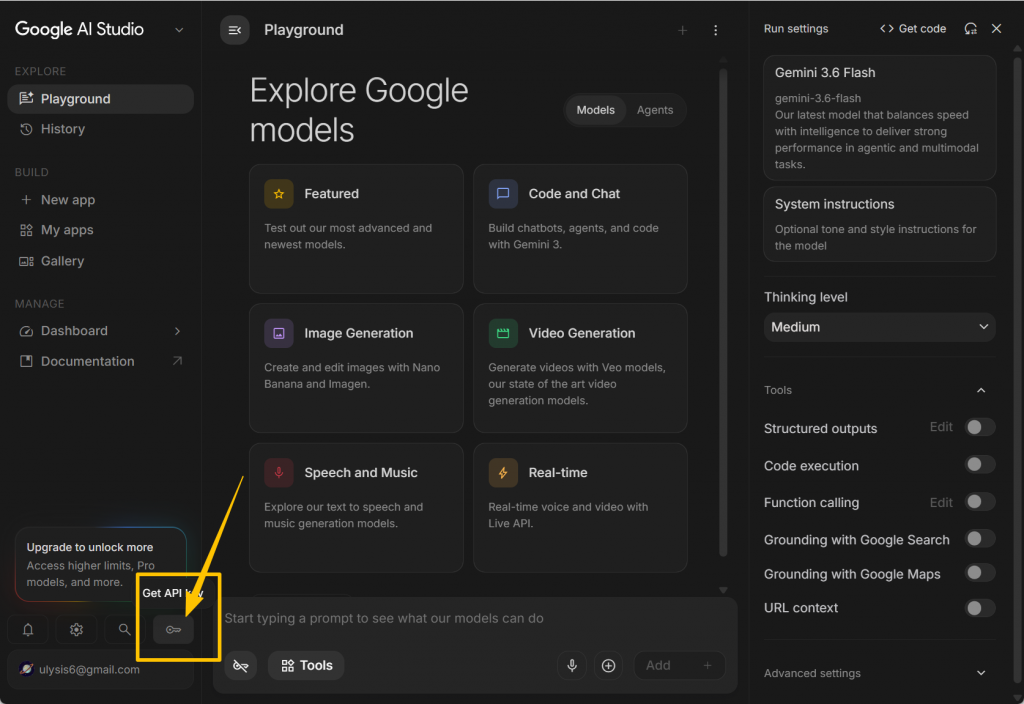
- Get your API key. Click the "Get API Key" button in the left sidebar. Copy the key. Store it somewhere safe — this key has access to the same free tier limits as the web interface.
- Use it anywhere. Paste the key into your favorite AI-powered tool. Most tools that support "OpenAI-compatible" APIs can be configured to use Gemini's endpoint (
https://generativelanguage.googleapis.com) with your key.
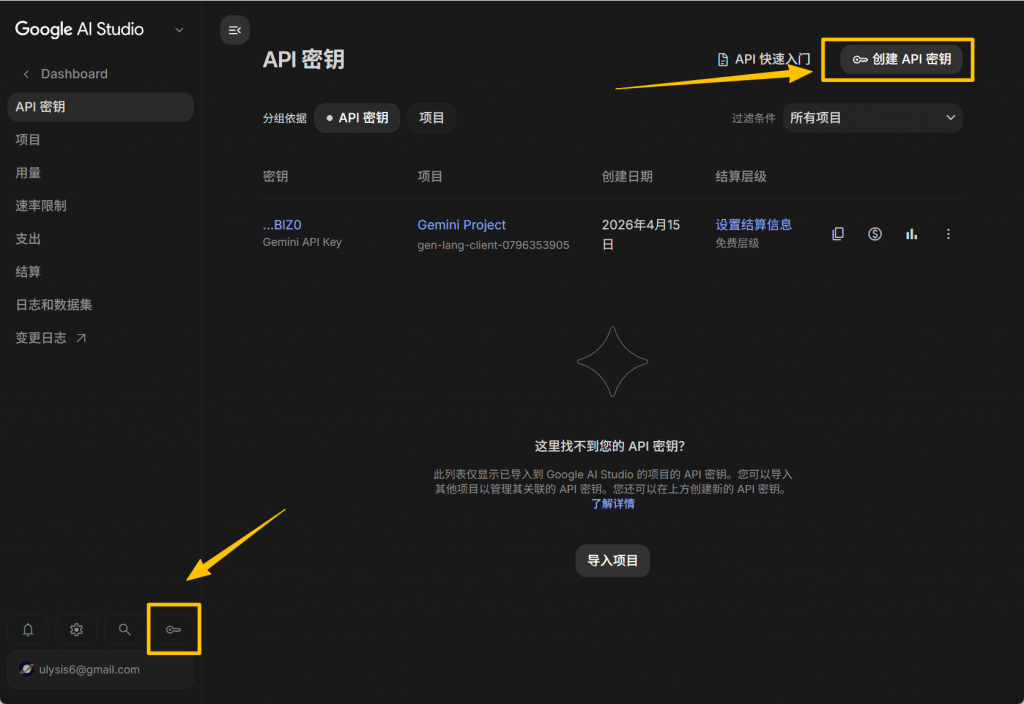
That is the entire setup. Five minutes, no payment, and you have access to Google's most powerful models through both the web interface and the API.
How Google AI Studio Compares to the Competition
Let me put this in perspective with a direct comparison of what each major AI platform offers for free:
| Capability | Google AI Studio | ChatGPT Free | Claude Free | DeepSeek |
|---|---|---|---|---|
| Best free model | Gemini 2.5 Pro | GPT-5.5 (limited) | Claude Sonnet 4 (limited) | DeepSeek-V3 |
| Context window | 1M tokens | 32K tokens | 200K tokens | 128K tokens |
| Image generation | ✅ Nano Banana + Imagen | ✅ DALL·E (limited) | ❌ Not available | ❌ Not available |
| Video generation | ✅ Veo | ❌ Not available (Sora paid only) | ❌ Not available | ❌ Not available |
| TTS (text-to-speech) | ✅ Multiple voices | ✅ Voice mode | ❌ Not available | ❌ Not available |
| Free API key | ✅ 1,500 req/day | ❌ API paid only | ❌ API paid only | ✅ Limited |
| File upload (images, PDFs, audio) | ✅ Full support | ✅ Yes | ✅ Yes | ✅ Yes |
| System instructions | ✅ Full control | Limited (Custom GPTs) | Limited (Projects) | ✅ Yes |
| Rate limits (free) | 1,500 req/day | ~50 messages/3 hours | ~20 messages/8 hours | 50 messages/day |
| Experimental model access | ✅ Day 1 access | ❌ Delayed | ❌ Rare | ❌ Rare |
The pattern is clear. ChatGPT Free and Claude Free are excellent for text chat — but they are text-only products with tight rate limits and no API access. DeepSeek is a strong contender with a free API, but it lacks image generation, video generation, and TTS. Google AI Studio is the only platform that bundles text, image, video, voice, and a free API key into a single free offering.
Why Google's Free Tier Is the Most Generous in the Industry
Let me be direct about why this matters. Google's business model for AI is fundamentally different from OpenAI's and Anthropic's:
- Google owns the infrastructure. TPUs, data centers, and networking are Google's core business. Running inference at scale costs them less than it costs competitors who rent cloud GPUs. They can afford to be generous because their marginal cost per request is lower.
- AI Studio is a strategic moat. Every developer who builds on the Gemini API is one who is not building on OpenAI or Anthropic. Google is playing the long game — acquire users now, monetize later through Google Cloud's enterprise AI offerings.
- The free tier drives enterprise adoption. Developers experiment on AI Studio for free, then convince their companies to pay for Google Cloud's Vertex AI when they need production-scale deployment. The free tier is a sales funnel, and Google can afford to run it at a loss.
For you, the user, none of this corporate strategy matters. What matters is that right now, in mid-2026, Google AI Studio offers the most comprehensive free AI toolkit available anywhere. More models, more modalities, higher rate limits, and a free API key that unlocks third-party tools — all without a credit card.
What Are the Limitations?
No tool is perfect, and AI Studio has its trade-offs:
- Google account required. You need a Google account. If you are privacy-conscious about Google, this is a non-starter.
- Data usage for training. By default, Google may use free-tier API data to improve their models. You can opt out in settings, but it is on by default — read the terms.
- No mobile app. AI Studio is web-only. The Gemini mobile app is a separate product. For mobile use, you are back to the consumer app.
- Rate limits apply. 1,500 requests per day is generous for an individual, but if you are building a production app with many users, you will hit the cap fast. That is when you upgrade to pay-as-you-go.
Final Thoughts: Stop Using Only the Gemini Website
If you take one thing away from this guide, let it be this: bookmark aistudio.google.com and make it your default Gemini interface. The consumer website is fine for quick questions. But AI Studio gives you more models, more features, more control, and a free API key — all for zero dollars.
I have been using AI Studio as my primary Gemini interface for months. I use the API key with Continue.dev for AI-assisted coding in VS Code. I generate images with Nano Banana when I need blog thumbnails. I use Veo for quick video drafts. I have not paid Google a cent for any of it.
Google is not advertising this tool aggressively because they do not need to — developers find it organically. But if you are a casual AI user who has only ever used the Gemini website, you owe it to yourself to spend five minutes exploring AI Studio. The gap between what you are using and what is available for free is larger than you think.