
My computer runs AI agents 24/7 — Hermes, Claude, and Codex all working on different jobs. When I'm away from the keyboard, I always wonder: Did it finish? Is it stuck? Do I have enough API balance? So I built a tool that lets me check what my AI agents are doing — and even talk to them — right from my phone. Grocery shopping, on the subway, lying in bed: one tap and I can see everything.
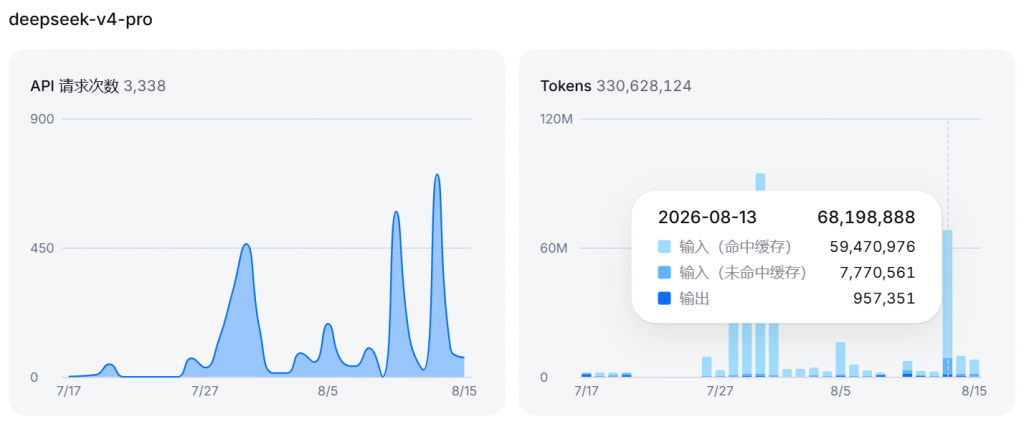
This time was different: I went full vibe coding. I never even opened VS Code. The whole thing cost about 70 million tokens — roughly $4, the price of a takeout meal.
| Agent | Model |
|---|---|
| Claude | DeepSeek V4 Pro (release) |
Why I Built It
My agents work on my PC around the clock, but I can't sit and watch them all day. That creates a familiar set of problems:
- Where is the agent now? — I have no idea what step it's on
- Is it stuck on an error? — I could waste an hour waiting on a dead run
- Is my API balance enough? — I worry it runs out of credits mid-task
- Want to change direction? — if I'm out, I'd have to go home and use the computer
Remote desktop is too heavy. I just wanted something light: open my phone, see the status, the logs, the balance, a knowledge-base summary — and ideally say a word to the AI. So I built exactly that.
What I Made
I used the Claude desktop app — zero coding tools opened, pure vibe coding from start to finish.
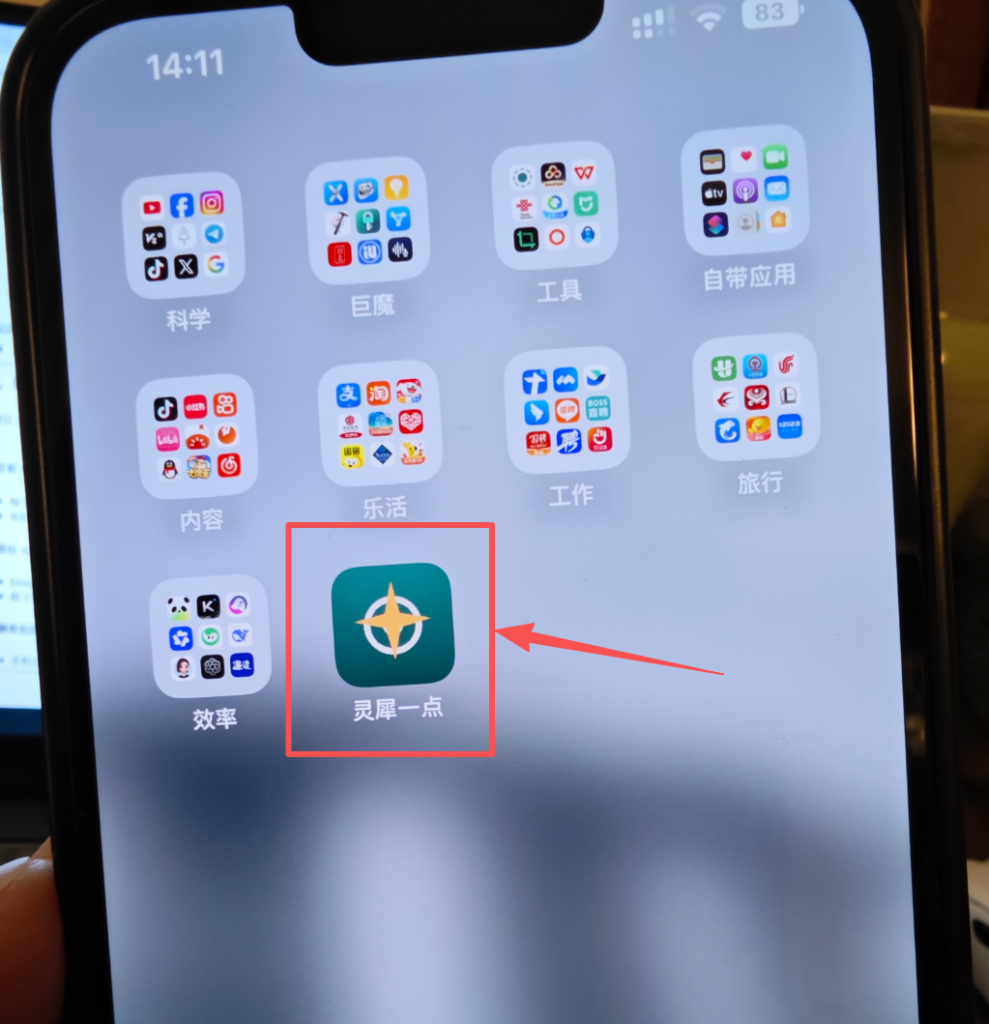
I named it Agent Sentinel (灵犀一点 — "a touch of insight"). It opens in any mobile browser (and can be installed to your home screen like an app). Here's what it does:
1. Watch Your Agents Work
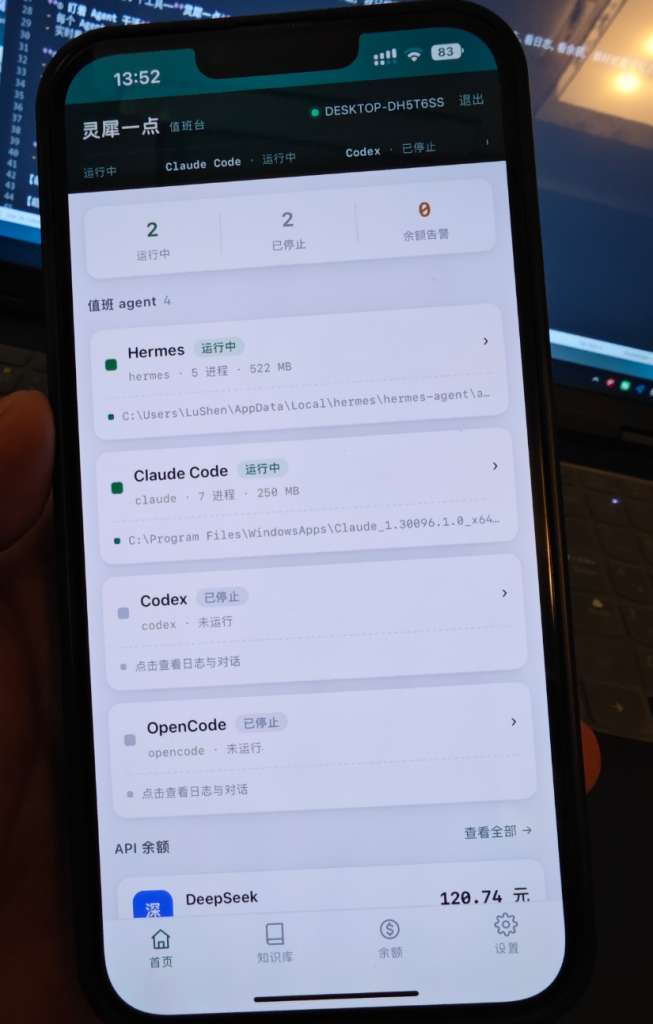
- Each agent gets a status light: running / stopped (not started)
- See live logs — what it's saying, which tools it's calling
2. Keep an Eye on API Balance
I previously built a desktop widget for monitoring AI model API balances — it worked great but only ran on the PC. Now I can check it from my phone anytime. (If you're curious about that desktop widget, I wrote about it in my Vibe Coding: I Built a Desktop App in 4 Hours post.)
- One-tap balance checks for DeepSeek, Kimi, GLM, OpenRouter, and more
- Get a phone notification when balance drops below your threshold — no more agents dying mid-run from empty credits
3. Remote Control From Bed
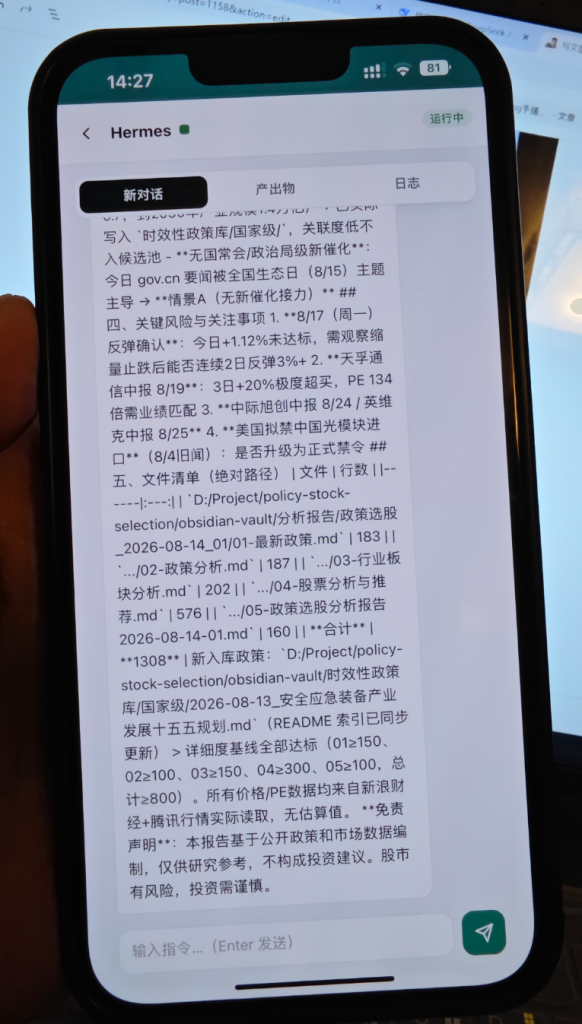
- Chat directly with Hermes or Claude from your phone to keep work moving
- Say "when it's done, message me" before you leave — come back to the results
4. Browse Your Knowledge Base
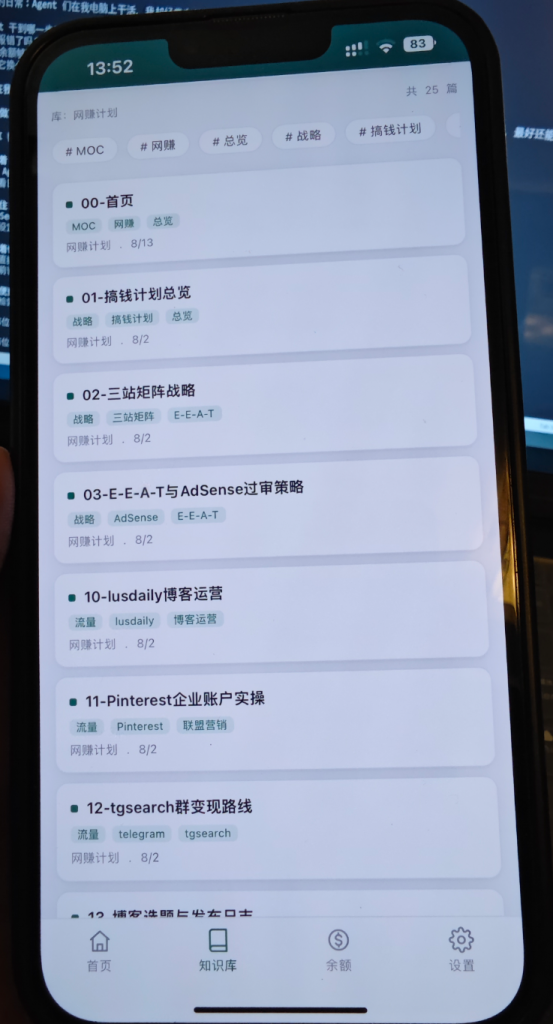
Bind your Obsidian knowledge base on the PC and sync it straight to your phone for anytime reading.
How I Made Phone Access Work — Without a Server
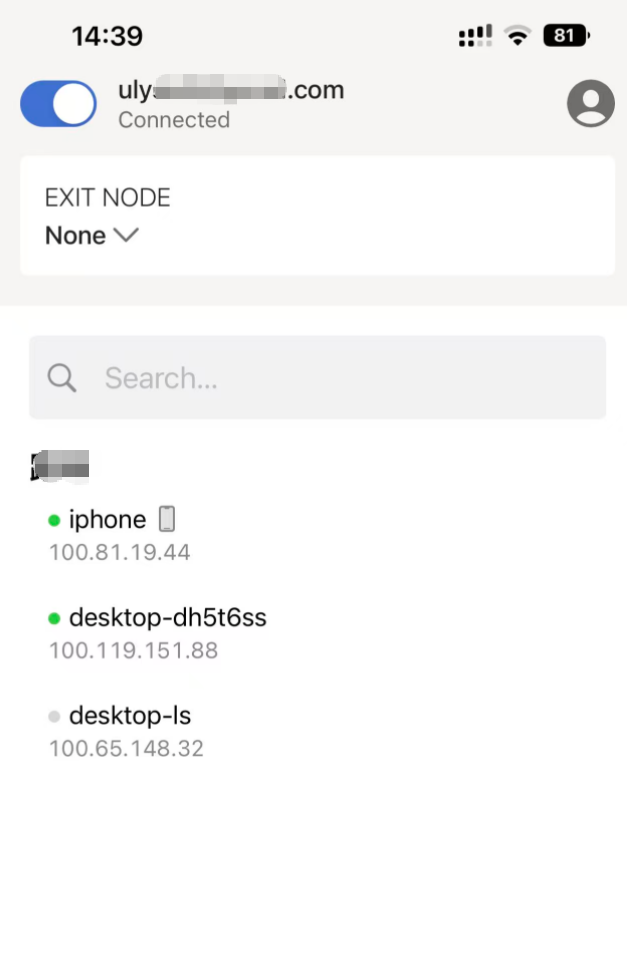
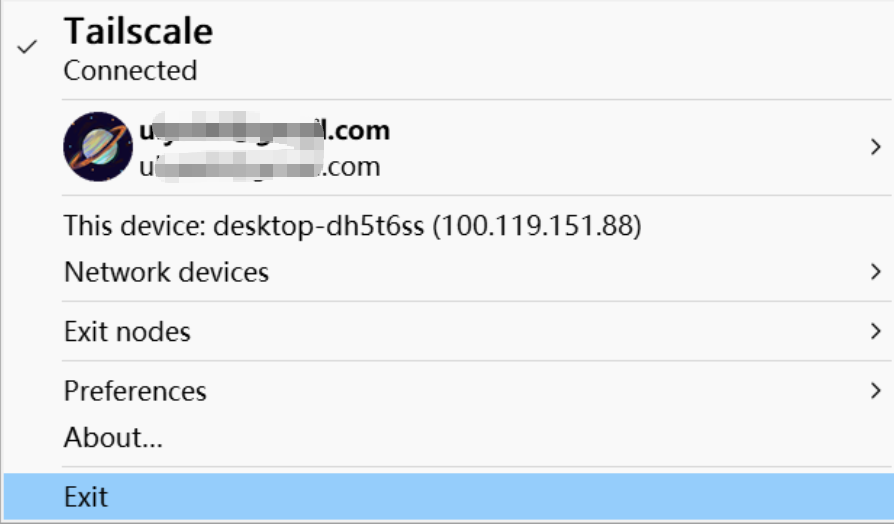
The key trick: a completely free and stable setup using Tailscale. I set up a VPN mesh with Tailscale, then reverse-proxied the Agent Sentinel web page through it. Both my phone and PC run the Tailscale client on the same account. Once the monitoring service is running on the PC, I just open the Tailscale-provided page URL on my phone and it works — silky smooth, true anywhere-access to the agents on my local machine.
Cost: Under 70 Million Tokens
Here's the part I most want to talk about. From requirements to a working system, the entire project consumed under 70 million tokens — that's all the "brain power" the AI used to write the code, fix bugs, and polish the UI.
What does 70 million tokens actually mean?
| Perspective | Reality |
|---|---|
| In money | ~$4 — the price of a takeout meal (DeepSeek pricing before the recent increase; roughly ¥30.5) |
| In time | One evening, working in bursts |
| In human labor | Outsourcing this system would cost four figures minimum |
In other words: a tool that would have cost thousands to have built is now something I made myself in one evening for the price of lunch. That's the most absurd thing about vibe coding. (Note: DeepSeek raised prices on August 17, so future projects will cost a bit more.)
One Line for Anyone Who Wants to Try
Don't assume "building tools" is a programmer's job. I'm just a guy who gets things done with AI — I wrote this entire thing by chatting with the AI, which handled everything from requirements to deployment. I covered the same approach in my earlier vibe coding walkthrough.
In the AI era, writing code is no longer the barrier. Get moving — turn your ideas into reality!
If you run local AI agents or vibe-code tools yourself, this monitoring setup is one of the highest-leverage things you can build. Being able to check status, balance, and logs from your phone turns "hope it works" into "I can see it working."
FAQ
Does this need a server or public IP?
No. Tailscale creates a private mesh VPN between your phone and PC — no public IP, no port forwarding, no server. The page is only reachable from your own devices.
What AI agents does it support?
Anything running on your local machine — Hermes, Claude, Codex, or any agent whose logs and state you can read. The balance monitoring supports DeepSeek, Kimi, GLM, OpenRouter, and similar platforms.
How much did it really cost to build?
About 70 million tokens of DeepSeek usage — roughly $4 at the time. The runtime costs are zero: Tailscale's free tier handles the connection, and the monitoring service runs locally on your own PC.
Is the code available?
This was a personal vibe-coded project. The same approach — local service + Tailscale + mobile web UI — can be recreated by any capable coding agent in an evening.